What you’ll learn: What Google-Agent is, how it differs from traditional crawlers, why agentic search matters for GEO strategy, and what to do right now to make sure your content is ready.
Key takeaways:
- Google-Agent is a new user agent that represents AI agents browsing the web on behalf of real users, not background crawling
- It was added to Google’s documentation on March 20, 2026, with Project Mariner as the first example
- Unlike Googlebot, Google-Agent is user-triggered, meaning someone asked an AI to visit your site
- Agentic search adds a new layer to AI visibility: your content needs to work for agents that evaluate, navigate, and take actions, not just retrieve and cite
- If your WAF, CDN, or robots.txt blocks Google-Agent, you are invisible to this growing traffic source
- Server log tracking lets you see exactly when Google-Agent and other AI agents visit your site, giving you data that prompt and citation tracking alone can’t provide
- The shift from “AI retrieves your content” to “AI agents visit your site” has direct implications for GEO strategy
What Is Google-Agent?
On March 20, 2026, Google added a new user agent called Google-Agent to its user-triggered fetchers documentation. The entry includes the user agent name, associated IP ranges, and a description: Google-Agent is used by agents hosted on Google infrastructure to navigate the web and take actions on behalf of users.
The first named example is Project Mariner, a research prototype that acts as an AI agent inside Chrome. Users give it tasks (“find the best project management tool for remote teams and compare pricing”) and it browses the web autonomously to complete them.
Google noted that Google-Agent will be rolling out over the next few weeks, so traffic volumes are low right now. That will change.
How Google-Agent Differs from Googlebot
This is an important distinction that affects how you think about AI search.
| Aspect | Googlebot | Google-Agent |
|---|---|---|
| Purpose | Crawls pages for Google’s search index | Browses the web on behalf of a real user |
| Trigger | Continuous background crawling | User-triggered (someone asked an AI to do something) |
| Behavior | Reads and indexes content | Navigates, evaluates, and potentially takes actions |
| What it represents | Search engine infrastructure | A user interacting with your site through an AI agent |
| Robots.txt | Respects Googlebot directives | Separate user agent with its own rules |
The fundamental shift: Googlebot visits your site so Google can index it. Google-Agent visits your site because a person asked an AI to go there.
This means Google-Agent traffic is closer to real user traffic than it is to crawler traffic. Each visit represents a human intent.
Why This Matters for GEO
If you’re tracking AI search visibility, you already know the basic pipeline: AI models retrieve content from the web, evaluate it, and decide what to cite. Google-Agent introduces a new dimension.
From retrieval to navigation
Until now, AI search has primarily been about retrieval. An AI model gets a user’s question, runs web searches behind the scenes, reads the retrieved pages, and synthesizes an answer. Your GEO strategy focuses on being the content that gets retrieved and cited.
Agentic search is different. The AI doesn’t just retrieve and summarize. It visits your site directly, navigates through pages, evaluates your content in context, and may take actions like filling out forms, comparing products, or gathering specific information.
This shifts what matters:
- Page structure becomes more important. Agents need to navigate your site, not just read a single page
- Clear information architecture helps agents find what they need efficiently
- Accurate, up-to-date content matters even more when agents are making decisions for users
- Technical accessibility is table stakes. If agents can’t load or parse your pages, the user’s task fails
The trust bar goes up
When an AI agent is acting on behalf of a user, the stakes are higher than a citation in a chat response. The agent might be comparing your product to competitors, evaluating your pricing, or assessing whether to recommend you. The same E-E-A-T signals and domain authority that influence citations become even more critical when an agent is making evaluative judgments.
Blocking agents means losing users
Here’s the most immediate concern: many websites have WAF (web application firewall) and CDN configurations designed to block non-human traffic. These rules were built to stop malicious bots, but they can also block legitimate AI agents.
If your infrastructure blocks Google-Agent, you are not just missing crawler visits. You are blocking real users who happen to be browsing through an AI agent. That is lost traffic and lost revenue.
What to Do Right Now
1. Check your blocking rules
This is the most urgent step. Review your WAF, CDN, and server configurations to make sure you are not blocking Google-Agent:
- Check robots.txt for any rules that might inadvertently block the Google-Agent user agent
- Review WAF rules for bot-blocking patterns that could flag AI agents as threats
- Verify CDN settings for rate limiting or challenge pages that could prevent agent access
- Whitelist Google-Agent IP ranges from Google’s
user-triggered-agents.jsonfile
Quick check: If your WAF or CDN uses a default “block known bots” ruleset, it may already be blocking AI agents. Review your configuration specifically for user-triggered agents, which are fundamentally different from background crawlers.
2. Start tracking Google-Agent traffic
You need visibility into when and how Google-Agent interacts with your site. There are two ways to do this:
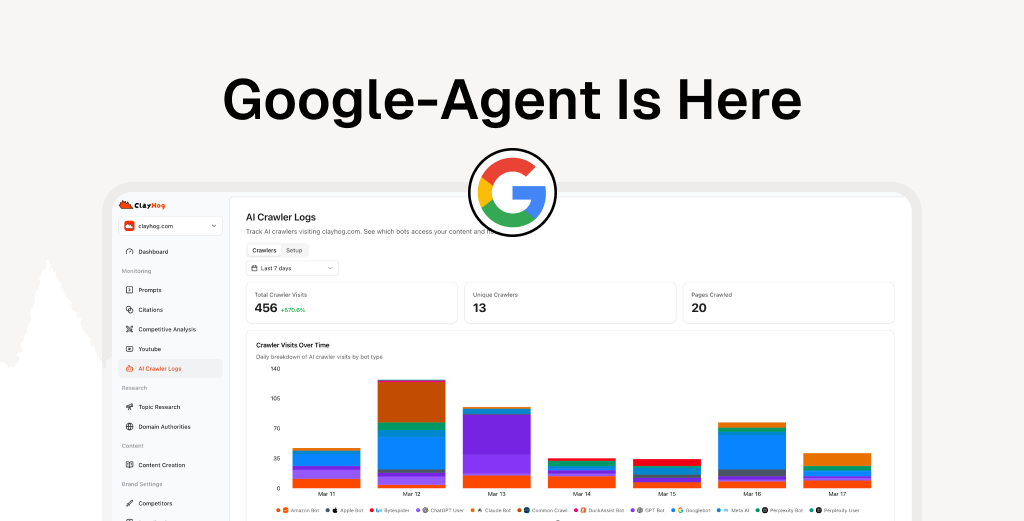
With ClayHog: ClayHog’s server log tracking automatically identifies AI crawler and agent visits, including Google-Agent. Connect your server logs and ClayHog will break down which AI agents are accessing your site, which pages they visit, how often they return, and whether requests succeed or fail. You get a unified dashboard showing Google-Agent activity alongside other AI crawlers like ChatGPT-User, Perplexity-User, and ClaudeBot, so you can see the full picture of AI-driven traffic in one place.
Manually: Filter your raw server logs for the Google-Agent user agent string. This works but requires ongoing effort and doesn’t give you trend data or cross-agent comparison out of the box.
Either way, establish a baseline now. Volume will be low since the rollout only started on March 20, but having data from the start gives you context as adoption grows.
What to track:
- Which pages Google-Agent visits most
- What paths it follows through your site (navigation patterns)
- Whether requests succeed or hit errors, blocks, or redirects
- Visit frequency and how it trends over time
- Comparison to other AI agents visiting your site (ChatGPT-User, ClaudeBot, PerplexityBot, etc.)
3. Audit your site’s agent readiness
Think about your site from the perspective of an AI agent trying to complete a task for a user:
- Is your content structured clearly? Can an agent quickly find product details, pricing, comparisons, or key information?
- Do your pages load without JavaScript-dependent content? Some AI agents may not execute JavaScript the same way a browser does
- Are your internal links logical? An agent navigating your site needs a clear path from landing pages to detailed content
- Is your information current? Agents evaluating your content for a user will favor accurate, recently updated pages
4. Strengthen your GEO fundamentals
Agentic search doesn’t replace the existing AI search pipeline. It adds to it. The foundations that help you get mentioned in AI answers are the same foundations that make your site effective for AI agents:
- Strong domain signals so search engines (and agents) trust your content
- E-E-A-T signals that demonstrate expertise and authority
- Clear, direct content that answers questions without filler
- Structured data that helps AI understand what your pages contain
The Bigger Picture: Where Agentic Search Is Heading
Google-Agent is an early signal, not the endgame. The trajectory is clear:
Today: AI models retrieve and cite your content in chat responses. Google-Agent starts visiting sites on behalf of users with limited functionality.
Near-term: AI agents will browse, evaluate, and compare options across multiple sites. Users will delegate research, shopping, and decision-making tasks to agents.
Medium-term: Standards and protocols for agent-website interaction will mature. Agents will be able to complete transactions, book services, and take complex actions on behalf of users.
The brands that are visible, structured, and trustworthy for AI search today are building the foundation for agentic search tomorrow. The fundamentals are the same. The bar is just going higher.
Tracking Agentic Search with ClayHog
ClayHog helps you stay ahead of changes in AI search visibility, including the shift to agentic search:
- Server log tracking automatically detects Google-Agent and other AI crawler visits, showing which pages they access, how often, and whether requests succeed. You get a single dashboard covering every AI agent hitting your site instead of manually parsing raw logs
- Prompt tracking across ChatGPT, Gemini, Perplexity, Claude, and Google AI Overviews shows whether your brand is being recommended when users ask questions that agents will increasingly handle
- Citation tracking monitors which of your pages AI models reference, giving you insight into which content is most likely to perform well with AI agents
- Content optimization helps you structure content for AI readability, which is equally important for agents navigating your site
- Competitor monitoring reveals which brands AI platforms already recommend in your category, and that competitive landscape carries directly into agentic search
Server log tracking is especially relevant for Google-Agent because it gives you direct evidence of agent visits. While prompt and citation tracking show you how AI platforms talk about your brand, server logs show you when AI agents are actually on your site. Combining both gives you the complete picture: what AI says about you and how AI interacts with you.
The teams tracking AI visibility now have the baseline data to measure how agentic search changes the picture as Google-Agent adoption grows.
Get ahead of agentic search. Start tracking your AI search visibility and server logs now so you have baseline data before Google-Agent traffic scales. ClayHog gives you visibility across every major AI platform, plus server log tracking to see exactly when AI agents visit your site. Start your free trial.
Frequently Asked Questions
What is Google-Agent?
Google-Agent is a new user agent from Google that represents AI agents browsing the web on behalf of real users. Unlike Googlebot, which crawls pages for indexing, Google-Agent visits your site because a user asked an AI agent to perform a task. It was announced on March 20, 2026, with Project Mariner as the first example.
How is Google-Agent different from Googlebot?
Googlebot crawls the web to build Google’s search index. It runs continuously in the background. Google-Agent is user-triggered, meaning it only visits your site when a real person asks a Google AI agent to do something on their behalf, like research a product, compare options, or complete a task.
Does Google-Agent affect my AI search visibility?
Yes. Google-Agent represents a new way users interact with your content through AI. If your site blocks or breaks for AI agents, you miss these visits entirely. More broadly, agentic search means your content needs to be structured, trustworthy, and accessible so AI agents can evaluate and act on it for users.
How do I check if Google-Agent can access my site?
Use ClayHog’s server log tracking to automatically detect Google-Agent visits and see which pages it accesses. You can also filter your raw server logs for the Google-Agent user agent string. Either way, verify that your CDN, WAF, and robots.txt rules are not blocking the Google-Agent IP ranges published in Google’s user-triggered-agents.json file.
Should I block or allow Google-Agent?
You should allow it. Google-Agent represents real users browsing through an AI agent. Blocking it is equivalent to blocking a segment of your audience. Unless you have a specific reason to prevent AI agent access (e.g., pages with sensitive actions), keeping Google-Agent unblocked ensures your content is accessible to this growing traffic source.
Is agentic search the same as AI search?
Agentic search is a subset of AI search. Traditional AI search involves models retrieving and citing content in chat responses. Agentic search goes further: AI agents actively browse, navigate, and interact with websites on behalf of users. Both matter for GEO, but agentic search adds requirements around site navigation, technical accessibility, and structured content.