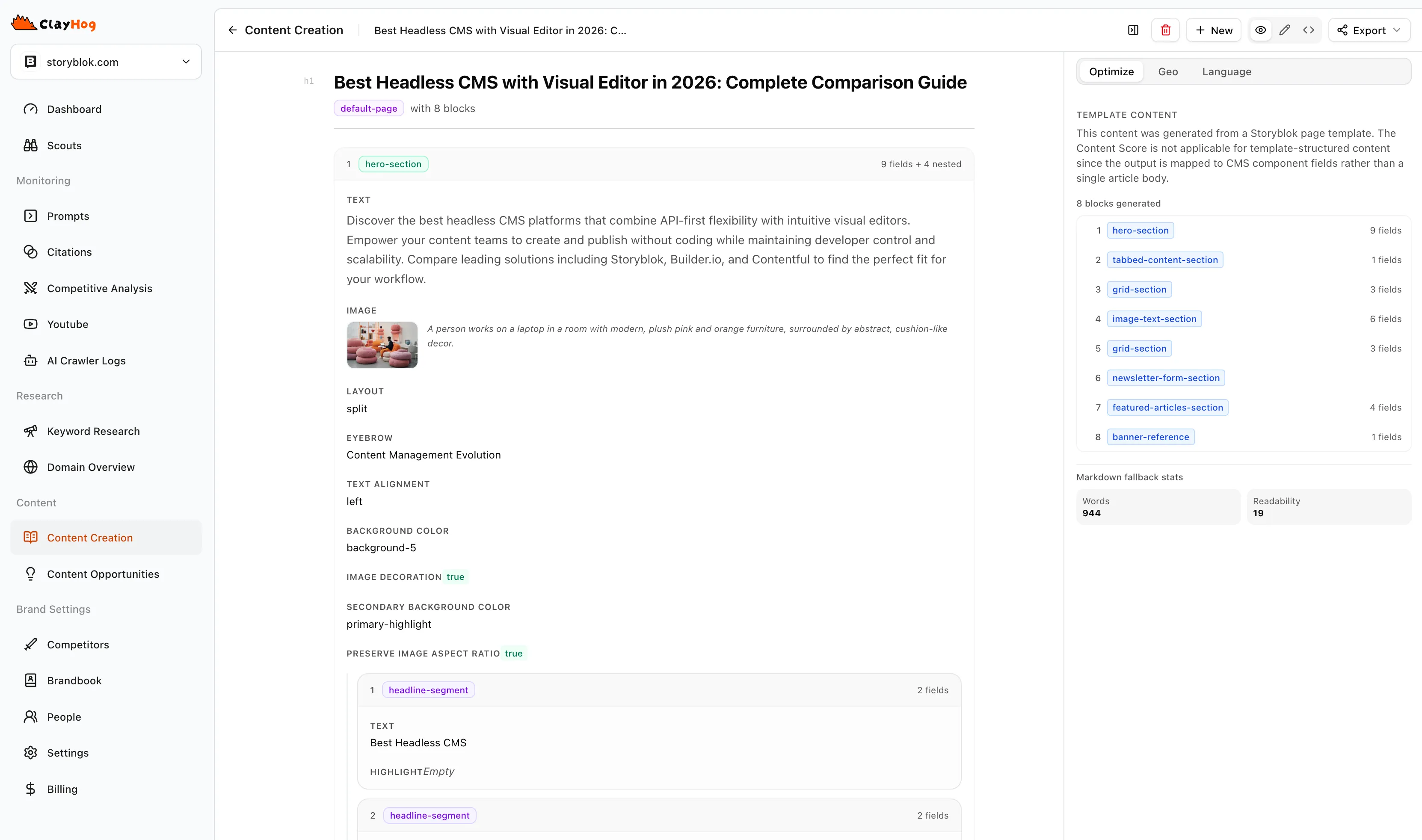
From AI Insights to Published Storyblok Content
Most teams spend hours copying content between tools, reformatting for their CMS, and manually mapping fields. The ClayHog Storyblok integration removes all of that. You go from AI prompt analysis to a published Storyblok story without leaving ClayHog.
1. Discover What to Write
ClayHog tracks how AI platforms like ChatGPT, Gemini, Perplexity, Claude, and Google AI Overviews respond to prompts about your industry. You see which topics generate citations, where your brand appears, and where content gaps exist.
- Prompt tracking across five AI platforms
- Citation analysis showing which URLs get referenced
- Content gap identification based on competitor visibility
2. Generate Content That Gets Cited
Use the Content Creator to produce articles built for AI citation. The pipeline analyzes your target prompt, researches the topic, identifies key talking points, and generates a structured outline you can edit before the full article is written.
You can choose a content length, apply your Brandbook voice settings, and use GEO signal optimization to increase the likelihood that AI platforms reference your content.
- Structured outline with editable sections and talking points
- GEO and SEO scoring built into the editor
- Topic authority analysis with coverage gap identification
3. Use Your Existing Page Templates
Instead of starting from a blank structure, connect your Storyblok space and pick any existing story as a template. ClayHog extracts the page structure, including nested blocks, rich text fields, and default field values, so the generated content matches your real component tree.
This means every article follows the same layout as your existing pages. No manual restructuring after export.
- Browse stories from your Storyblok space to select a template
- Automatic extraction of component tree and field layout
- Default field values from the template are preserved
- Block-based content preview and editing before publishing
4. Auto-Map Fields and Publish
ClayHog’s AI maps your generated content to the correct Storyblok fields: title, body, meta description, rich text, images, and nested components. Review the mapping in a preview, then publish to Storyblok with one click.
- AI-powered field mapping across all Storyblok field types
- Preview the mapped content before it goes live
- Correct component mapping for nested blocks
- Multi-space support for agencies and multi-brand teams
Supported Field Types
The field mapper handles the full range of Storyblok content types:
- Text and textarea fields
- Rich text and markdown
- Numbers and booleans
- Nested blok components
- Default values from your content schema
Why Teams Use This
| Without ClayHog | With ClayHog |
|---|---|
| Write content in one tool, copy-paste into Storyblok, manually map every field | Generate, preview, and publish from one workflow |
| Guess which topics AI platforms care about | Create content based on real AI prompt data and citation patterns |
| Start every article from scratch in Storyblok | Use your existing page templates so articles match your site structure |
| No visibility into whether AI platforms reference your content | Track citations across ChatGPT, Gemini, Perplexity, Claude, and AI Overviews |
Query Your Visibility From Any AI Assistant
Prefer to work inside your AI tool? The ClayHog MCP server connects your brand, competitor, and citation data to Claude, Cursor, and ChatGPT. Ask how your Storyblok content performs in AI search, then create and optimize new articles without switching tabs. See the MCP setup guide to get started.
Requirements
- Storyblok Account — Any Storyblok plan with API access and a Management API token
- ClayHog Plan — Pro or Business plan with Integrations enabled
- Content Type — At least one content type or component defined in Storyblok
- Write Access — API token with write permissions to create and update stories